
Amazon Publisher Services (APS)
Amazon Publisher Services (APS) uses its own dedicated Unity plugin and requires a different installation process than other ad providers.
If your project requires APS, your Lion Studios manager will advise when APS should be installed and configured, and will provide the required settings.
LionSDK provides a streamlined way to install and manage the APS Unity plugin within your project.
Installation
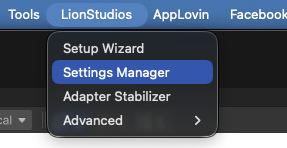
In Unity, open the Lion Manager window by navigating to: Window → Lion Studios → Settings Manager
Open the Amazon section from the left-hand navigation.
If APS is not installed, click Install.

After installation is complete, enable Auto Initialization.

Enter the required APS settings provided by your Lion Studios manager.
The APS installation is now complete!
Lion Ads
If you are using Lion Ads, APS can now be configured in the Ads section of Lion Manager. Enter the required APS ad unit settings for each supported platform. For more information, please refer to this section.
Last updated
Was this helpful?