
Third Party
Some third-party services require additional setup outside of the standard Lion Ads configuration. Review the sections below and complete any required steps based on the integrations used in your project.
Amazon Publisher Services (APS)
If your project is configured to use Amazon Publisher Services (APS), your Lion Studios manager will let you know when APS should be installed and set up, and will provide the required settings.
Once APS is available in the project, enter the required APS ad unit IDs in the Amazon Publisher Services (APS) section of the Lion Manager.
For additional APS setup guidance, please refer to our Amazon Publisher Services (APS) section.
Visibility in Lion Manager
The Amazon Publisher Services (APS) section will only appear in Lion Manager if one of the following scripting define symbols is included in your project:
HAS_AMAZON_SDK
HAS_AMAZON_V2_SDK
These symbols are detected automatically through the APS module.
Missing APS Plugin Warning
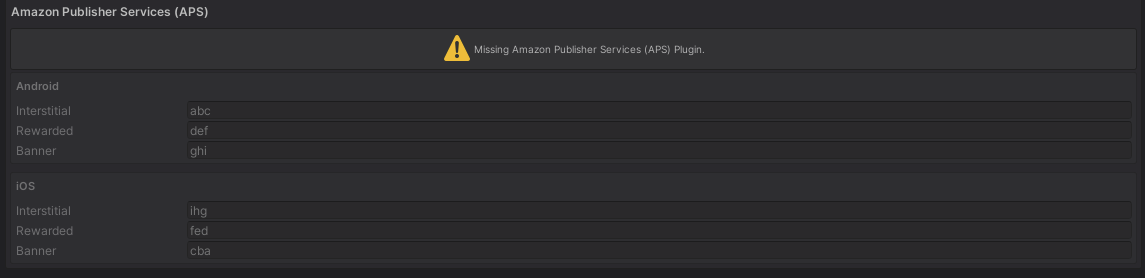
If APS is not installed or the required scripting define symbols are not present, the APS section will remain disabled and a warning will be shown in Lion Manager.
This warning indicates that the Amazon Publisher Services (APS) plugin is not currently available in the project. As a result, Amazon ads will not be used.
Google Ads Manager
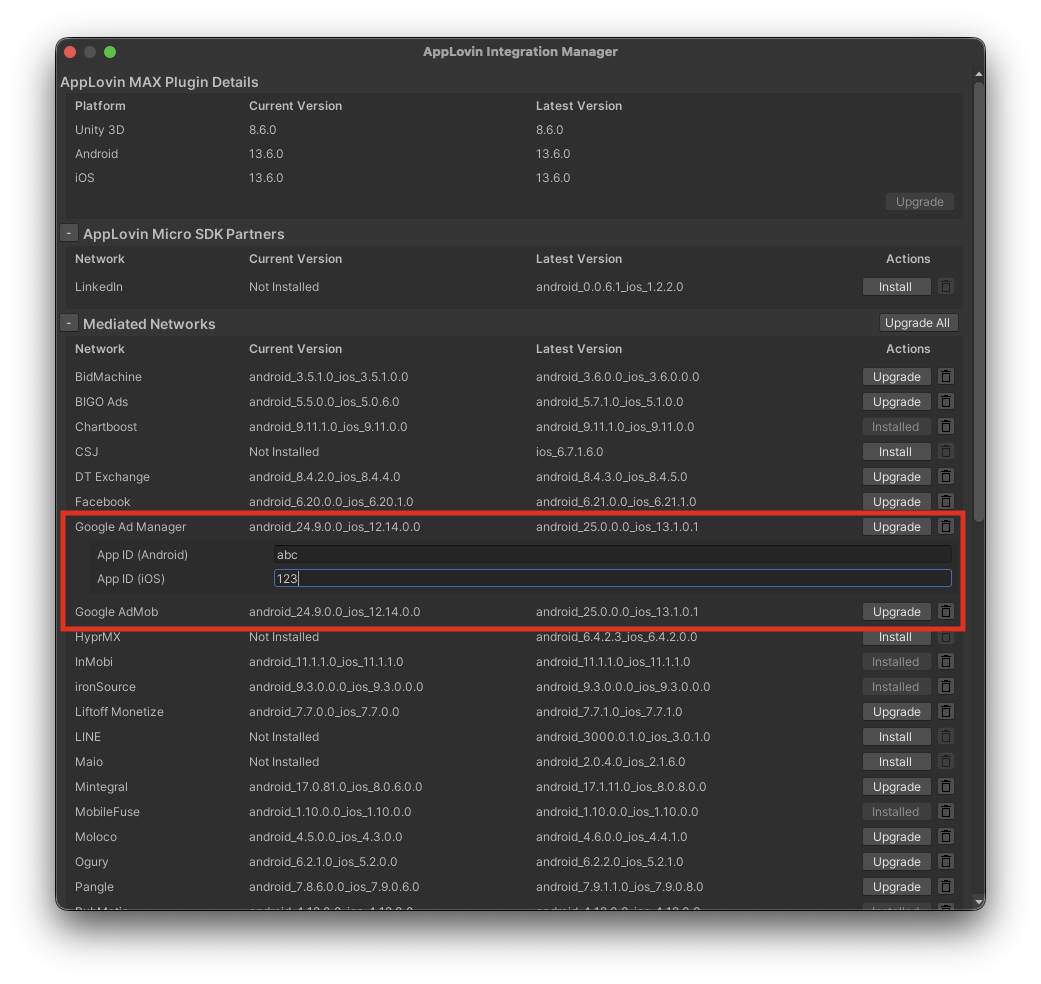
If Google Ads Manager is installed as a mediation adapter, it requires its own set of IDs. Your Lion Studios manager will provide these IDs.
These IDs must be entered in the MAX Integration Manager in Unity:
AppLovin → Integration Manager
Last updated
Was this helpful?